


.svg)

.png)
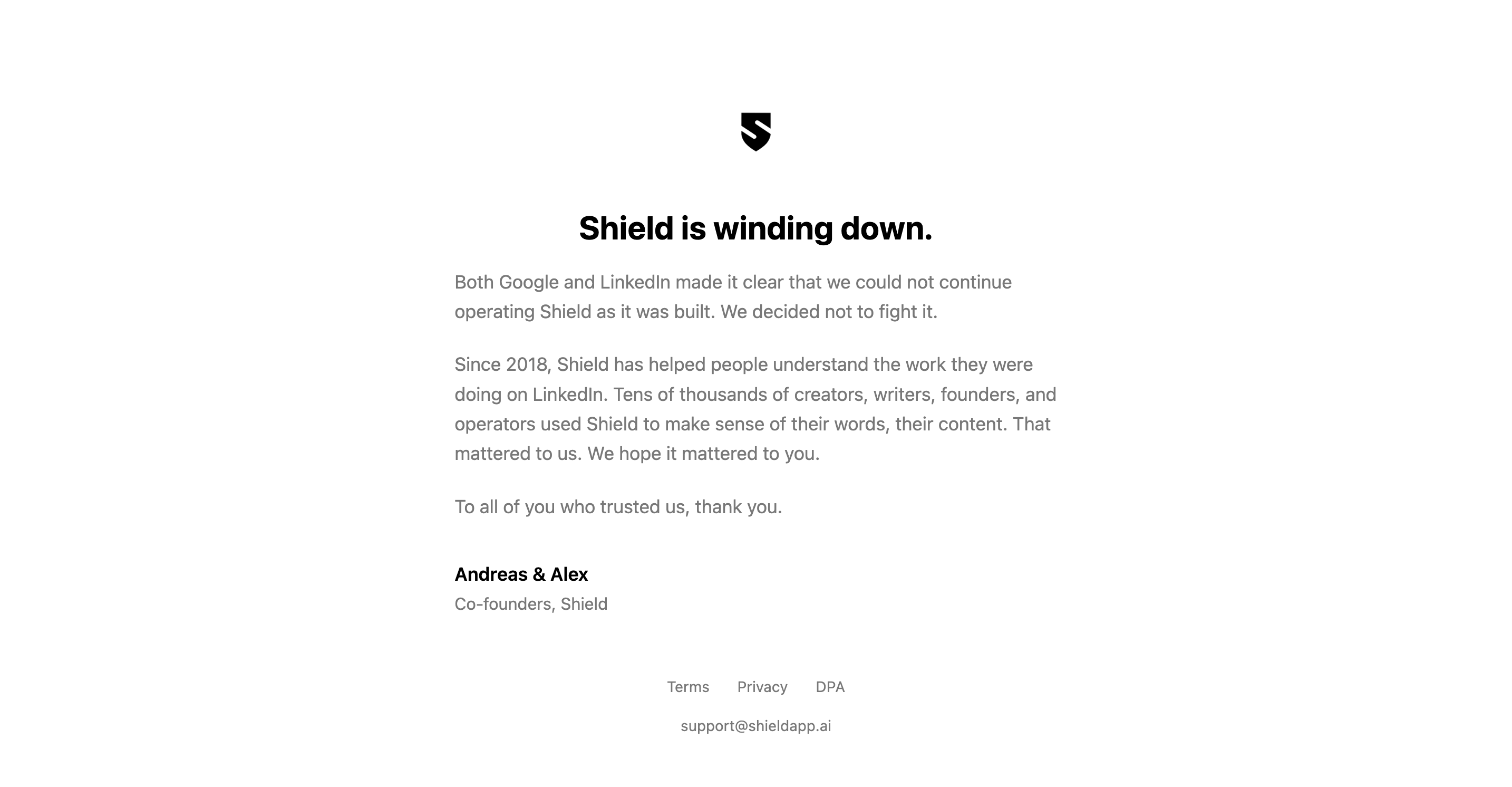
If you open shieldapp.ai right now, you'll see four words where a product used to be: Shield is winding down.
Let's be clear about where we stand. AuthoredUp competes with Shield, so you might expect us to be glad about this. We're not. Shield was the first genuinely good LinkedIn analytics tool. It set the standard, and it shaped what creators and teams came to expect from their numbers. When a tool that strong goes out of business, it's a loss for everyone who takes LinkedIn seriously, us included. This isn't a post celebrating an opening in the market.
It's a practical one. If you relied on Shield, your data has a clock on it now, and you have a few decisions to make this week. Here's how to save what you've built, and what your options are next.
What's happening with Shield Analytics?
Shield Analytics is winding down. The team has informed its users directly, and was clear about why: "Both Google and LinkedIn have made it clear that we cannot continue operating Shield as it was built. We've decided not to fight it."
Here's what Shield has told its users, in practical terms:
- New signups and subscription renewals have stopped. If you were a paying customer, you won't be charged again.
- Your Shield account stays open for 30 days from the wind-down notice, so you can still log in and export your data.
- After that 30-day window, account access goes away.
- Shield's support address, support@shieldapp.ai, stays open in the meantime.
Shield's co-founder Andreas Jonsson marked the moment in a candid LinkedIn post. "there is no sugarcoating it," he wrote, before thanking seven years' worth of users and the team, and signing off: "but this is the end."
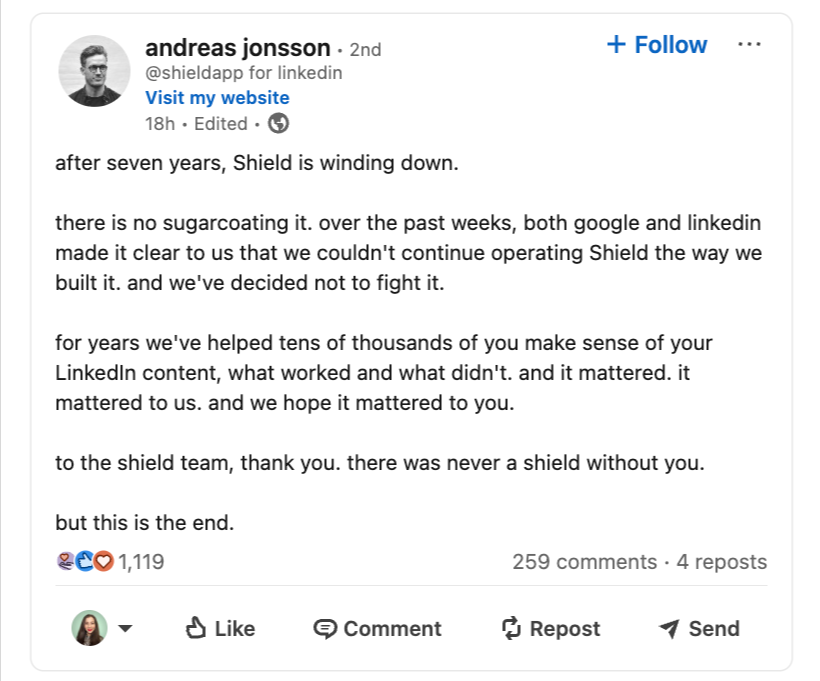
The 30-day window is the part that needs action. When it closes, the data Shield holds for you goes with it. For updates, follow Shield's LinkedIn page, and you can see the wind-down notice on Shield's site.
What Shield users stand to lose
Shield's value was never a single dashboard screen. It was the history. The longer you used it, the more it knew about your LinkedIn performance. When the account closes, here's what goes with it:
- Post-performance history. Impressions and engagement-rate trends for every post, week over week.
- Follower-growth curves. The long view of how your audience built up.
- Content analysis. Which formats, topics, and posting days actually worked for you.
- Your benchmarks. Months or years of baseline numbers you measured new posts against.
- Client reporting history. If you ran Shield for an agency, every client's tracked performance.
Native LinkedIn analytics won't fill this gap. LinkedIn only shows you a rolling recent window, and it doesn't let you compare posts side by side or look back across years. Losing Shield without a plan means losing the timeline.
What to do right now: get your Shield data out
This first step has nothing to do with switching tools. Whatever you decide later, get your data out of Shield while you still can.
- Log in to Shield at app.shieldapp.ai as soon as you can. During a wind-down, access can come and go, so the moment you can get into your account, treat it as your window.
- Export everything. Find the export option in your dashboard or account settings and download your post and analytics data as CSV files. Don't cherry-pick. Take all of it.
- Save the raw files somewhere safe, a folder you'll still find in six months, not your Downloads pile.
Those CSVs stay useful even after Shield is gone. Once you've exported, you can migrate your Shield history to another tool before it's gone and keep every data point in one place.
You can also drop them into ChatGPT or Claude and ask what your best-performing posts had in common, which topics carried, how your engagement moved year over year. The history doesn't lose its value.
If you want a structured way to read that kind of data, our guide on understanding your LinkedIn analytics walks through the patterns that actually matter. The point is simple: don't let years of your own performance data disappear with the tool.
What to look for in a Shield replacement
Switching tools is never fun. But it's also a chance to think about what you want from your next setup. Here's what's worth checking.
Analytics depth, and how far back it goes. Most tools start tracking the day you sign up. That means a brand-new account and a fresh zero on your timeline. The question to ask any replacement: can it load your past, or only your future?
How it accesses your data, and what that means for your account. LinkedIn tools differ in how they read your data. Some take your login cookie and pull data automatically in the background. Others only read what's already on screen while you use LinkedIn yourself. The first feels more hands-off; the second keeps your account further from anything LinkedIn could flag. It's a genuine trade-off, and worth understanding before you choose. There's more on this below.
Whether it also helps you create. Analytics tell you how your posts did. A tool that also handles writing, formatting, and scheduling lets you act on what the numbers show, without switching apps.
Multiple profiles and company pages. If you used Shield for client work or a company page, your next tool has to handle more than one account without punishing you for it.
A way to import history. This is the one that decides whether migration hurts. A tool that can ingest your existing LinkedIn data means you don't restart from scratch.
If you want a broad shortlist of options, we keep a running roundup of Shield alternatives. But if you want the short version, the rest of this post is it.
How AuthoredUp helps you keep tracking your performance
Shield set a high bar for LinkedIn analytics. It gave creators and teams a clear, reliable read on how their content performed, and a lot of people built genuine habits around it.
AuthoredUp is there to support that same habit. You can keep tracking your LinkedIn performance with advanced metrics, and you can look back at how your past posts did rather than starting your history from zero. For anyone leaving Shield, that continuity is the part that matters most.
AuthoredUp also offers more than analytics. It's a LinkedIn content creation platform too, so the writing, formatting, and scheduling that used to sit in a separate tool can live in the same place as your metrics. Here's an honest side-by-side.
Get your full analytics history back
This is the part that should change your mind about migration being painful.
LinkedIn lets every user download a complete archive of their own account data: every post you've ever published, with its performance numbers. AuthoredUp can read that archive and rebuild your analytics from it. Not from the day you signed up. From as far back as your posting history goes.
So moving off Shield doesn't mean a blank timeline. You request your LinkedIn data export, upload it, and your historical posts and metrics populate inside AuthoredUp. If you'd rather not wait on LinkedIn's export queue, the archive import also works as a fast way to bulk-load history in one go.
One thing worth being precise about: this works because LinkedIn itself hands you the data. It's your account, your export, fully within LinkedIn's terms. We wrote up exactly how it works in the help guide on importing your LinkedIn data export.
A couple of rows go Shield's way, and that's the honest picture. Shield's per-hour real-time monitoring and its chat-with-your-analytics feature are genuinely ahead of where AuthoredUp is today. One of those is coming. The other is a deliberate trade-off, and the next sections explain why.
Advanced metrics and a clear view of past performance
The analytics built for LinkedIn creators give you a detailed read on what's working:
- Side-by-side post comparisons, so you can see which hook actually pulled
- Correlation plots that show whether posting more often moves your engagement
- Reaction breakdowns, not just a single engagement total
- A color-coded dashboard that flags trends instead of making you hunt for them
All of it works for personal profiles and company pages. If you want the deeper tour of what the metrics cover, the LinkedIn analytics guide walks through it.
.png)
Why AuthoredUp works differently from Shield
Both Shield and AuthoredUp are Chrome extensions. But they don't read your LinkedIn data the same way, and the difference is the reason for two of the gaps in the table above.
Shield used your login cookie and could pull data automatically in the background. That's how it tracked performance hour by hour, and how it could show numbers for posts and pages you'd never opened yourself.
AuthoredUp doesn't do that. The extension only reads what's already on your screen while you're on LinkedIn, on your own device, with the extension active. It mirrors what you open. Nothing runs in the background, and your login cookie stays yours.
That has a real downside. AuthoredUp can't do per-hour real-time monitoring, because it isn't running when you aren't. And some of the work is more manual: to pull in a stretch of history, you sometimes have to scroll through it yourself, where Shield would have fetched it on its own.
The upside is your account. AuthoredUp never automates actions on LinkedIn and never touches your login cookie, which keeps you clear of the activity LinkedIn tends to flag. If you want the technical detail, it's written up in our privacy policy, our explainer on whether AuthoredUp counts as an automation tool, and the note on why we don't take your cookie.
Content creation, alongside your analytics
Shield focused on analytics, and did that job well. AuthoredUp covers the analytics and the creation side too, so acting on what your metrics tell you doesn't mean opening another tool.
Inside LinkedIn's own interface, the editor gives you real formatting (bold, italics, bullets, emoji) plus a library of 200+ hooks and 150+ CTA templates. You can preview a post exactly as it'll appear before publishing, save drafts and organize ideas, schedule posts, and pull up any past post to reuse it.
It all happens next to the numbers, so you can see how a post did and write the next one in the same place.

Built for agencies, companies, and individuals
Shield earned a lot of its loyal users in agencies and marketing teams, not just among solo creators. AuthoredUp is built for all three.
Agencies manage every client's LinkedIn profile from one account, each with its own separate analytics. No juggling logins, no per-client mess.
Companies get full company page support: analytics, scheduling, and content creation all work for pages, and pages are free and unlimited on every plan. You're not charged extra to track the page your whole team posts to.
Individual creators get the same kind of performance tracking they relied on in Shield, plus the creation tools, starting at $19.95 a month with a 14-day free trial.
Nobody in that list is an afterthought. The tool scales from one profile to a full client roster without changing how it works.
What AuthoredUp costs
Shield's last-known price was $25 per month. AuthoredUp is $19.95 per personal profile connected, and that price covers both the analytics and the creation tools. So replacing Shield doesn't cost you more.
Company pages are free and unlimited. The 14-day free trial doesn't ask for a card. Team plans are available for bigger rosters.
The full pricing breakdown has the plan-by-plan detail if you're comparing for a team.
Keep your analytics going with AuthoredUp
Exporting your Shield data preserves the past. If you also want a live dashboard going forward, one that tracks your new and old posts together so you can keep analyzing them, that's where AuthoredUp comes in.
Here's how to set it up:
- Start an AuthoredUp free trial and install the Chrome extension. Fourteen days, no credit card.
- Request your LinkedIn data archive. In LinkedIn, go to Settings → Data Privacy → Get a copy of your data. LinkedIn takes roughly 24 to 48 hours to prepare it, and it runs on its own in the background.
- Import the archive into AuthoredUp. Your historical posts and performance data populate, and your timeline picks up where Shield left off.
A word on the extension, since Shield's wind-down has people understandably wary of where things stand with the Chrome Web Store. AuthoredUp has had no trouble there. We shipped three to four approved releases in the past month alone. That comes down to the read-only approach described above: AuthoredUp works differently from other LinkedIn content extensions, which keeps it on the right side of both Chrome's and LinkedIn's rules.
FAQ
When is Shield Analytics shutting down?
Shield has posted a wind-down notice and says a formal announcement is coming, but no official end date is public yet. Treat your data as available now and not guaranteed later, and export it as soon as you can get into your account.
Will I lose my Shield data?
Once Shield closes, the data stored inside its platform won't be retrievable. Exporting Shield's CSV files and importing your LinkedIn data archive into a new tool is how you keep your history.
Does AuthoredUp work for company pages?
Yes. Analytics, scheduling, and content creation all work for company pages, and pages are free and unlimited on every AuthoredUp plan.
Can AuthoredUp handle multiple profiles and client accounts?
Yes. You can connect and manage multiple LinkedIn profiles from one account, each with its own analytics. That separation is what makes it workable for agencies and teams.
Can I get my old analytics into AuthoredUp?
Yes. The LinkedIn archive import loads years of historical post performance, not just data from your signup date forward. It's the main reason migrating off Shield doesn't mean starting over.
Is AuthoredUp safe for my LinkedIn account?
Yes. AuthoredUp runs as a Chrome extension and uses no automation, scraping, or anything that breaks LinkedIn's terms. The archive import relies on the data export LinkedIn gives you for your own account. The guide on LinkedIn-compliant data import has the detail.
.svg)
.png)
.svg)
.png)
.png)
