


.svg)

.png)
LinkedIn sales tools have splintered into so many categories that "sales tool" barely means anything anymore. A prospecting database, a CRM plugin, an outreach sequencer, and a content analytics platform all get called "LinkedIn sales tools." They solve completely different problems.
This list sorts them by what they actually do. Pick the category you need, then pick the tool.
One thing to know first: LinkedIn aggressively enforces its Terms of Service against automation tools. Anything that auto-connects, auto-messages, or scrapes data at scale puts your account at risk. We've flagged which tools carry that risk below so you can decide with eyes open.
The LinkedIn Sales Tool Stack in 2026
The teams getting the best results don't rely on a single tool. They combine three layers:
- A data source for finding the right people (Sales Navigator, Apollo, Lusha)
- An action tool for reaching out at scale (Lemlist, Expandi) or managing conversations (Kondo, Surfe)
- A content engine for building authority so prospects come to you (AuthoredUp)
Here's how the best tools in each category compare:
Prospecting Tools: Finding the Right People
LinkedIn Sales Navigator
The starting point for any LinkedIn sales workflow. Sales Navigator gives you advanced search filters that the free LinkedIn search doesn't: filter by company size, revenue, technologies used, job changes, and dozens more criteria.
What it does well:
- Lead and account lists with real-time updates when prospects change jobs or post content
- InMail credits for reaching people outside your network
- CRM integrations with Salesforce, HubSpot, and Microsoft Dynamics
- "Buyer intent" signals showing which accounts are researching topics related to your product
Limitations: Expensive for individual users. The data is only as good as what people put on their profiles. No email addresses or phone numbers, so you need an enrichment tool for that.
Pricing: Core starts at $119.99/month (or ~$90/month billed annually). Advanced ($159.99/month) adds team features and CRM sync. Advanced Plus is custom pricing.
Apollo.io
Apollo has become the default prospecting platform for startups and mid-market sales teams. It combines a contact database (275M+ contacts across 30M+ companies), email sequencing, and basic CRM functionality in one platform.
What it does well:
- Massive database with emails, phone numbers, and LinkedIn profile data
- Built-in email sequencing and dialer
- Intent data and job change alerts
- Strong free tier (limited credits)
Limitations: Phone number accuracy varies. The LinkedIn integration is basic compared to dedicated tools. Enterprise companies often outgrow it.
Pricing: Free plan available. Paid starts at $49/month.
Lusha
Lusha focuses specifically on contact enrichment: finding verified email addresses and direct phone numbers for LinkedIn profiles you're viewing.
What it does well:
- Chrome extension that overlays contact data on LinkedIn profiles
- Phone number accuracy is among the highest in the category
- Bulk enrichment for lists
- GDPR and CCPA compliant
Limitations: Credit-based pricing means heavy users burn through credits fast. Less useful for accounts where public contact data is scarce.
Pricing: Free plan (40 credits/month). Paid starts at $49.90/month for 400 credits (Starter).
Data Enrichment: Making Your Lists Actionable
Clay
Clay doesn't find leads itself. It takes your existing lists and enriches them by waterfalling through multiple data providers (Lusha, Apollo, Clearbit, and others) to get the best data for each contact.
What it does well:
- Pulls from 150+ data providers and returns the best result for each field
- AI-powered research agents that can summarize a prospect's recent LinkedIn activity, company news, or tech stack
- Integrates with CRMs and outreach tools
Limitations: Learning curve is steep. Pricing adds up quickly with heavy usage. Not a prospecting tool. You need leads before Clay can enrich them.
Pricing: Free plan available (limited). Paid starts at $167/month (Launch), with Growth at $446/month.
-homepage
CRM Integration: Keeping LinkedIn and Your CRM in Sync
Surfe
Surfe bridges LinkedIn and your CRM (HubSpot, Salesforce, Pipedrive, Copper). Instead of manually copying contact data from LinkedIn into your CRM, Surfe syncs it automatically.
What it does well:
- One-click CRM sync from LinkedIn profiles
- Shows CRM data (deal stage, notes, last contact) directly on LinkedIn profiles
- Email finder built in
- Message templates for LinkedIn outreach
Limitations: Only useful if you actively use a CRM. The email finder is a secondary feature, not as robust as Lusha or Apollo.
Pricing: Free plan available (limited credits). Paid starts at $39/month (Essential).
Inbox Management: Organizing LinkedIn Conversations
Kondo
LinkedIn's messaging interface is chaotic. No labels, no folders, no way to prioritize. Kondo fixes this with an overlay that adds structure to your LinkedIn inbox.
What it does well:
- Labels and folders for LinkedIn messages
- Reminders and snooze for follow-ups
- Quick templates for common replies
- Keyboard shortcuts for faster navigation
- CRM integrations and Sales Navigator features on higher tiers
Limitations: Chrome extension only. Doesn't add outreach automation. Purely an organization tool. No free plan.
Pricing: Starts at $28/user/month (Basic, billed annually). Business tier at $36/user/month adds CRM integrations. 14-day money-back guarantee.
Outreach Tools: Reaching Prospects at Scale
Important: LinkedIn ToS warning. The tools in this category automate LinkedIn actions (connection requests, messages, profile views). LinkedIn's Terms of Service prohibit automated activity, and accounts using these tools risk restrictions or bans. Some tools are safer than others (cloud-based tools that mimic human behavior patterns carry less risk than browser extensions that blast hundreds of requests), but none are risk-free.
If your LinkedIn account is central to your business (your personal brand, your network, your content history), think carefully before connecting automation tools to it.
Lemlist
Lemlist combines LinkedIn outreach with email sequences in multichannel campaigns. It's positioned more as an email-first tool with LinkedIn steps added.
What it does well:
- Multichannel sequences (email → LinkedIn visit → LinkedIn connect → email follow-up)
- Built-in email warmup and deliverability tools
- Personalization at scale with dynamic fields
- Lead database included
Limitations: LinkedIn steps carry ToS risk. The tool's strength is email. LinkedIn automation is secondary. LinkedIn features only available on the Multichannel Expert plan ($87/month yearly).
Pricing: Email Pro starts at $63/month (yearly) or $79/month (monthly). Multichannel Expert with LinkedIn automation starts at $87/month (yearly).

Waalaxy
Waalaxy is a French tool popular in Europe for LinkedIn prospecting sequences. It automates connection requests, messages, and profile visits.
What it does well:
- Simple campaign builder with LinkedIn + email sequences
- Free plan with limited automation
- Template library for messages
Limitations: Higher ToS risk. Automates core LinkedIn actions. Message personalization is basic compared to Lemlist. Primarily LinkedIn-focused with limited email capabilities.
Pricing: Free plan (80 invitations/month). Paid starts at €19/month (Pro). Advanced at €49/month. Business at €69/month. Annual billing cuts prices by up to 50%.
Expandi
Expandi is a cloud-based LinkedIn automation tool with sophisticated targeting and campaign management.
What it does well:
- Cloud-based (runs 24/7 without your browser open)
- Smart limits that mimic human behavior to reduce detection
- Dynamic personalization with images and GIFs
- Campaign A/B testing
Limitations: High ToS risk. $99/month is steep for what's essentially automation. If LinkedIn detects it, your account faces restrictions.
Pricing: Starts at $99/month per seat.
HeyReach
HeyReach focuses on team-based LinkedIn outreach. Multiple team members can share sender accounts to distribute connection requests and reduce per-account risk.
What it does well:
- Sender rotation across team accounts
- Unified inbox for managing conversations from multiple accounts
- Built-in analytics for campaign performance
- Team collaboration features
Limitations: High ToS risk. The sender rotation concept itself pushes LinkedIn's boundaries. Teams need multiple active LinkedIn accounts.
Pricing: Starts at $79/month per sender (Growth plan). Agency plan at $999/month includes 50 senders.
Content for Social Selling: Building Authority That Sells
AuthoredUp
Here's where most LinkedIn sales tool lists get it wrong: they focus entirely on outreach and ignore the content side of selling.
The data tells a different story. According to AuthoredUp's analysis of 3M+ LinkedIn posts, profiles that post 4-5 times per week get 28% more impressions per post than those posting once weekly. And the median engagement rate across 372,812 posts is 2.50%, meaning your content reaches far more people than any cold outreach campaign can.
AuthoredUp isn't a prospecting tool. It's the content engine that makes your prospecting work better. When a prospect gets your connection request and checks your profile, what do they find? If it's a stream of valuable, well-formatted posts with real engagement, they're far more likely to accept and respond.
What it does for sales professionals:
- Editor with formatting: Bold, italic, bullet points, emojis, all directly in LinkedIn's interface. Your posts look professional without fighting LinkedIn's formatting limitations.
- Hook and CTA library: 200+ proven opening hooks and 150+ call-to-action templates. Stop staring at a blank text box.
- Analytics by format and topic: See which of your posts generate the most profile views, which formats drive engagement, and which topics your audience responds to. Data from our analysis of content performance shows documents (carousels) generate 1.39x more reach than average. A format most sales professionals underuse.
- Post history and drafts: Search and reuse any past post. Build a content system instead of reinventing the wheel every morning.
- Calendar and scheduling: Plan and schedule posts through the Chrome extension to maintain consistency without daily effort.
What it doesn't do: AuthoredUp doesn't automate outreach, scrape data, or send messages on your behalf. It won't get your account flagged. It's built for people who take their LinkedIn presence seriously and don't want to risk their network.
Pricing: Starts at $19.95/month per LinkedIn profile. 14-day free trial. Company pages included free.

The social selling best practices we've documented show that the best social sellers combine targeted prospecting (Sales Navigator) with consistent, data-informed content (AuthoredUp).
Data Extraction: Scraping and Automation
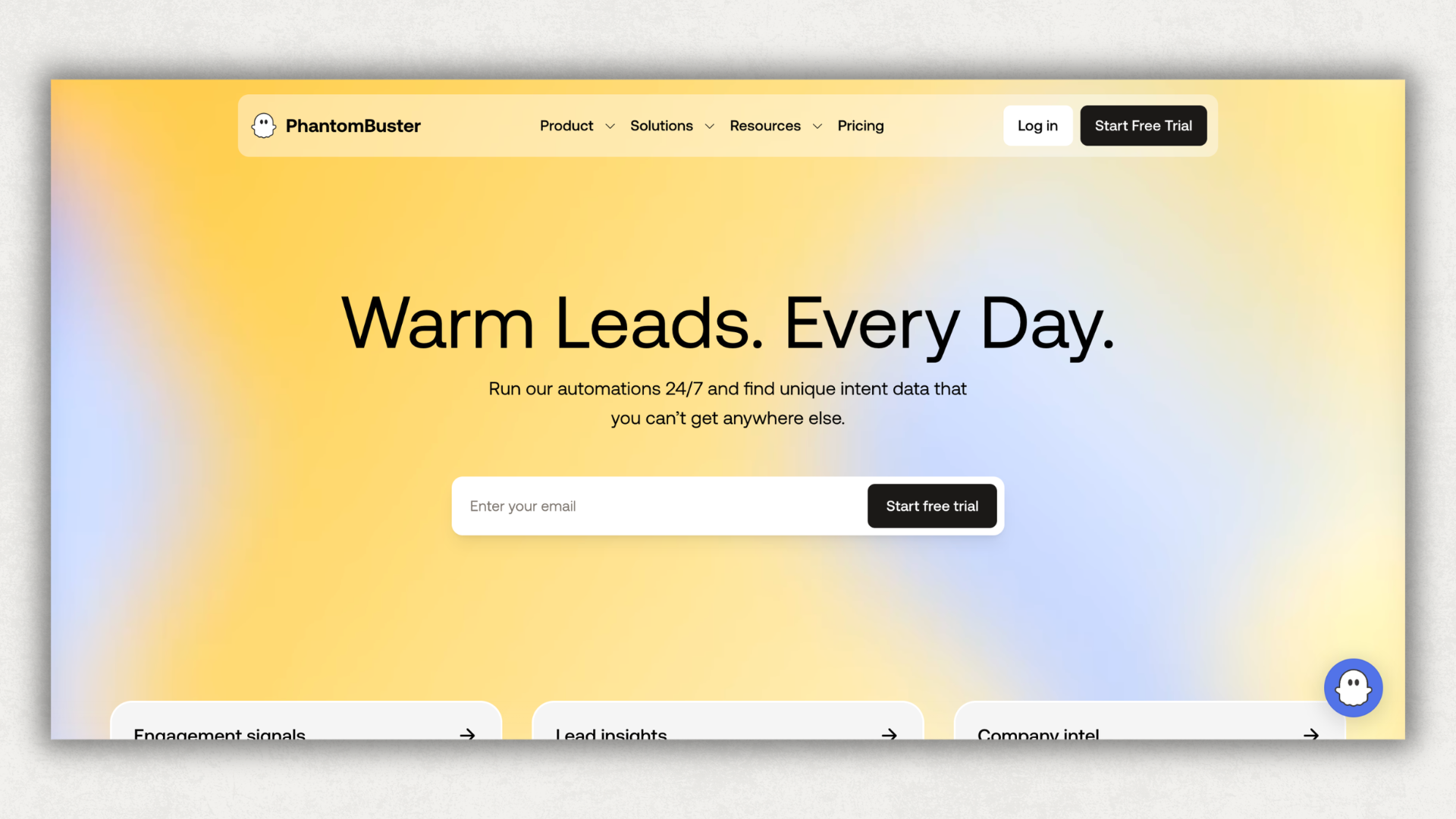
PhantomBuster
PhantomBuster automates a wide range of LinkedIn tasks: extracting profile data from search results, auto-connecting, scraping post commenters, and more.
What it does well:
- Highly flexible with hundreds of pre-built "Phantoms" (automations)
- Extract data from LinkedIn searches, events, groups, post engagement
- Chain automations together for complex workflows
- Export to CSV or CRM
Limitations: High ToS risk. This is essentially a scraping tool, which LinkedIn explicitly prohibits. Use with a secondary account if at all.
Pricing: 14-day free trial. Paid starts at $69/month (Starter). Pro at $159/month.
Which LinkedIn Sales Tool Should You Start With?
Skip the temptation to buy everything at once. Start with one tool per layer:
If you're an individual sales rep: Sales Navigator (prospecting) + AuthoredUp (content). These two cover lead finding and authority building without any ToS risk.
If you're a sales team at a startup: Apollo.io (prospecting + email) + Surfe (CRM sync) + AuthoredUp (content). Gives you data, action, and visibility.
If you're willing to accept automation risk: Add Lemlist or Expandi for outreach sequences. But protect your primary LinkedIn account. Use a secondary account for automation and keep your personal brand account clean.
If you're already getting inbound from content: Kondo (inbox management) + Lusha (enrichment for people who engage with your posts). Turn engagement into conversations, and conversations into pipeline.
The most expensive LinkedIn sales tool is the one that gets your account restricted. Before automating anything, ask: if LinkedIn shut this down tomorrow, would I lose access to my network?
For the content side of social selling, start a free AuthoredUp trial and see what data-driven posting looks like.
How Do I Use LinkedIn for Sales Without Getting Banned?
The safest approach combines three practices:
- Use LinkedIn's own tools for prospecting. Sales Navigator is expensive but carries zero risk. LinkedIn won't penalize you for using their own product.
- Build authority through content. Post consistently using content formats that perform. Documents and image posts generate the highest engagement. Prospects who recognize your name from their feed are far more likely to accept a connection request than those hearing from you cold.
- Keep outreach manual or lightly assisted. Tools like Surfe and Kondo help you organize and speed up manual work without automating LinkedIn actions. That's the safe zone.
The LinkedIn algorithm in 2026 rewards genuine engagement and penalizes patterns that look automated. Content-driven social selling isn't just safer. It performs better because the algorithm amplifies your visibility when people actually interact with your posts.
What's the Difference Between LinkedIn Sales Navigator and LinkedIn Premium?
LinkedIn Premium Career/Business gives you: InMail credits, profile view history, and some learning courses. It's designed for job seekers and general networking.
Sales Navigator gives you: advanced lead and company search, lead lists with alerts, buyer intent signals, CRM integrations, and team collaboration features. It's designed specifically for sales prospecting.
If you're using LinkedIn for sales, Premium won't cut it. Sales Navigator's filtering and list management are what make it useful for prospecting at scale.
Are LinkedIn Automation Tools Safe to Use?
Short answer: no. LinkedIn explicitly prohibits automated actions in its User Agreement, including automated connection requests, messages, and data scraping.
Tools like Expandi, Waalaxy, and PhantomBuster carry real risk:
- Account restrictions (temporary or permanent)
- Loss of your network and content history
- Damage to your professional reputation if prospects notice automated behavior
Cloud-based tools that run outside your browser and mimic human behavior patterns are less detectable than browser extensions, but "less detectable" isn't "safe."
If you decide to use automation, never connect it to your primary LinkedIn account. Keep your personal brand and content history separate from your outreach account.
The alternative? Build a content engine that generates inbound interest. Our data shows profiles posting 4-5 times weekly with the right formats outperform cold outreach volume in terms of qualified conversations. It takes longer to build but creates a compounding asset that automation can't replicate.

FAQ
What is the best free LinkedIn sales tool?
LinkedIn Sales Navigator doesn't have a free tier, but several other tools do. Apollo.io offers a free plan with limited credits for email and phone lookups. Surfe has a free plan for basic CRM syncing. Waalaxy gives you 80 free LinkedIn invitations per month (though it carries ToS risk). Clay has a limited free tier. For content creation, AuthoredUp offers a 14-day free trial with full feature access.
How many LinkedIn sales tools do I need?
Most sales professionals do well with two or three. One for finding prospects (Sales Navigator or Apollo), one for managing conversations (Surfe or Kondo), and one for building authority through content (AuthoredUp). Adding an outreach automation tool is optional and carries account risk. Start small and add tools only when you've outgrown what you have.
Can I use LinkedIn Sales Navigator without Premium?
Yes. Sales Navigator is a separate subscription from LinkedIn Premium. You don't need Premium to use Sales Navigator, and Sales Navigator includes everything Premium offers plus advanced prospecting features. If you're choosing between the two for sales purposes, Sales Navigator is the better investment. Learn more about the differences in our comparison above.
What's the safest way to automate LinkedIn outreach?
Truly safe automation on LinkedIn doesn't exist. Every tool that sends connection requests or messages on your behalf violates LinkedIn's Terms of Service. The safest approach is to use tools that organize your manual work rather than automate LinkedIn actions. Surfe syncs data to your CRM. Kondo organizes your inbox. AuthoredUp helps you create and schedule content. None of these trigger LinkedIn's detection systems because none of them automate LinkedIn interactions.
Do LinkedIn sales tools actually increase revenue?
The tools themselves don't generate revenue. They reduce the time between finding a prospect and starting a conversation. Sales Navigator helps you find the right people faster. CRM tools prevent prospects from falling through the cracks. Content tools build credibility so prospects respond when you reach out. The ROI depends on how you use them, not which ones you buy. Teams that combine prospecting with consistent content posting report the highest conversion rates from LinkedIn, according to our social selling best practices research.
How do I measure LinkedIn sales tool ROI?
Track three numbers: (1) connection acceptance rate (what % of prospects accept your request), (2) reply rate (what % respond to your first message), and (3) meetings booked from LinkedIn. Compare these before and after adopting a tool. For content tools, track profile views after posts and connection requests received. If your profile views spike after publishing and you're getting more inbound connection requests, your content is working as a sales asset.
.svg)
.png)

.svg)
.png)
.png)